Set a Timer to Stop Playing Music on iPhone, iPad, or iPod touch

If you wish your iPhone automatically stop playing music or radio at a specific time so that you don't have to manually turn it off, you can follow this tutorial to set a sleep timer to stop playing on iPhone.
Set a Timer to Stop Playing Music on iPhone/iPad/iPod
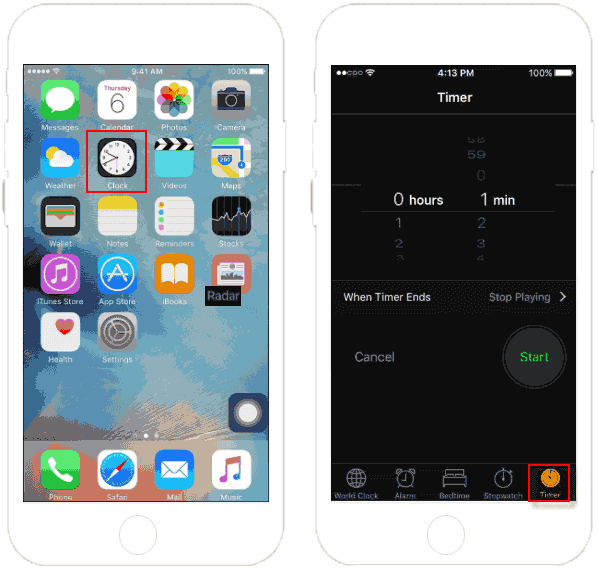
Step 1: Open the Clock app, then tap the Timer tab on the bottom right corner.
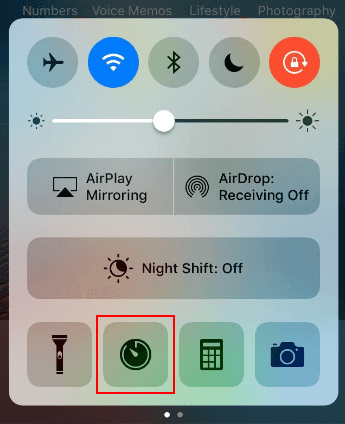
Or you can start a Timer from Control Center. Swipe up from the bottom of the screen, tap on Time icon.
Tips: Learn more ways to set a Timer, see set a timer with Siri.
Step 2: Use the picker, set the amount of time you want to let the music play.
Step 3: Tap on When Timer Ends.
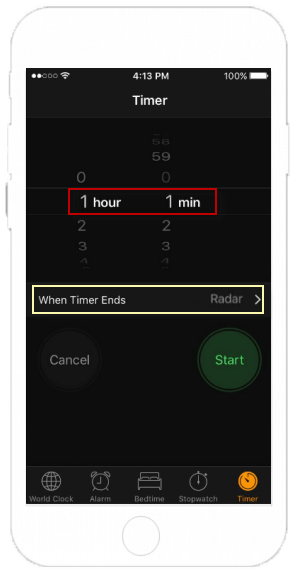
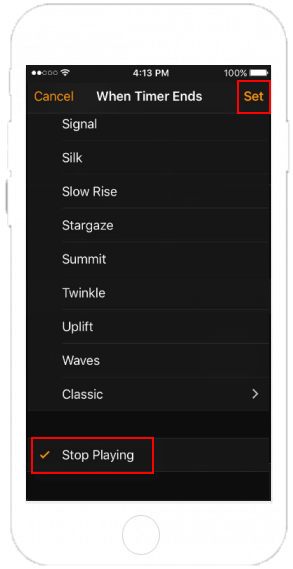
Step 4: Scroll down to bottom and select Stop Playing, then tap Set in the top right corner.
Step 5: Then tap the Start button. The timer will pop up and automatically begin counting down.
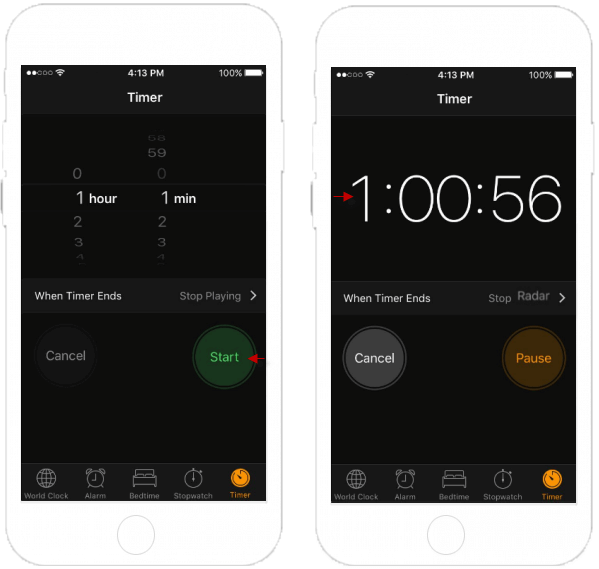
When the timer ends, your music will stop.