
Efficient PowerPoint File Repair Tool
iSumsoft PowerPoint Refixer is a PowerPoint file repair tool that repairs corrupted or damaged PowerPoint (.pptx) files. It restores corrupted PowerPoint files to their normal state so that you can open and view their contents without problems.
- Repair PPT files that refuse to open due to any corruption.
- Quickly fix corrupted or damaged PowerPoint files regardless of file size.
- Repair and recover all data from corrupt PPT files, including text, formatting, animation, sound effects, images, OLE objects, hyperlinks, and so on.
- Repair corrupted PPT files in a secure mode, without making any slight changes to the original data.
- Once the repair process is complete, you can open and preview the repaired PowerPoint file without any restrictions.

Easily repair corrupted PPT files
- iSumsoft PowerPoint Refixer allows you to repair corrupted PowerPoint files quickly and easily with one click, without any tedious steps.
Accurately recover PPT data
- iSumsoft PowerPoint Refixer restores all data in corrupted PowerPoint files to their original readable state with 100% integrity. It ensures that no data is lost during the PowerPoint file repair process.

Technical Specifications
Supported File Formats
- .ppt, .pptx
Windows OS
- Windows 11/10/8.1/8/7/2000
- Windows Vista/XP
- Windows Server 2025/2022/2019/2016/2012/2008/2003
Supported MS PowerPoint Versions
- MS PowerPoint Microsoft 365/2024/2021/2019/2016/2013/2010/2007/2003/XP/2000
Hardware Requirements
- CPU: 1 GHz or above (Intel or AMD)
- RAM: Upwards of 1 GB
- Hard Disk Space: 6.4 MB Minimum
Frequently Asked Questions
Q1: Does the software really repair corrupt PowerPoint files?
A: Certainly, in most cases.Q2: Can the software recover PPT files damaged by viruses?
A: Yes, it can. The software recovers PPT files damaged due to various reasons, such as virus attack, Office program crash, abnormal shutdown, sudden power failure, hard disk failure, and other unknown reasons.Q3: Does the repair process modify my original PPT data?
A: No, it doesn't. You can rest assured that the PowerPoint file recovery process is absolutely safe and your data will be preserved 100% intact, without any slight changes.Q4: How long does it take for the software to repair a corrupt PPT file?
A: It recovers a corrupt PPT file in seconds, regardless of the file size or the extent of the corruption.Q5: Can I open the PPT file after it is repaired?
A: Yes, of course. The software enables you to open repaired PPT files freely and view all their contents without any restrictions.Fast Recovery
Quickly recover corrupted PPT files.
Easy to Use
Everyone can use it without problem.
Friendly UI
Terse and friendly software interface.
100% Secure
No data loss or leakage.
Only two steps
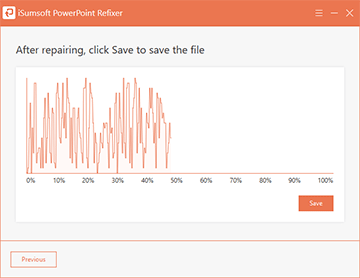
Step 1: Import the corrupted PPT file into the software.
Step 2: Click Recover to start recovery.
Watch Video





Listen to the user's statement
Thank you so much for this helpful software. I did it. All my slides were intact. Thanks a lot bro.
Thanks, it worked. I only lost the animations, but still glad about what I have retrieved.