
Outstanding Disk Cloning Software for Windows
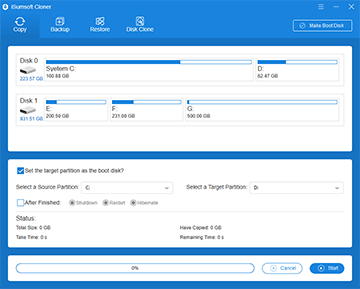
iSumsoft Cloner is an excellent disk cloning software for Windows PC, which is used to copy or clone Windows OS, data partitions, and even entire hard drives. It makes Windows migration and data backup easier and more efficient, and lets you quickly upgrade or replace your computer’s hard drive without having to reinstall Windows or lose data.
- Clone Windows from one hard drive to another and remain the destination drive bootable.
- Fully backup and restore Windows or data partitions without losing any data.
- Clone one hard drive to another, leaving all data and partitions intact.
- Clone Windows, partitions, or entire hard drives without logging into Windows.
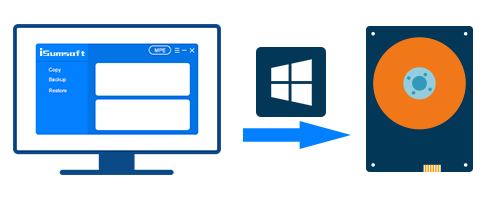
Clone only Windows OS to another disk
- iSumsoft Cloner allows you to clone (copy) only the Windows OS from your computer's hard drive to another disk, such as from HDD to SSD, and remain the destination disk bootable. It creates an exact replica of the operating system drive only and does not copy other data partitions. The cloned system can run perfectly on the destination disk without any problems.
Backup and restore a Windows system/partition
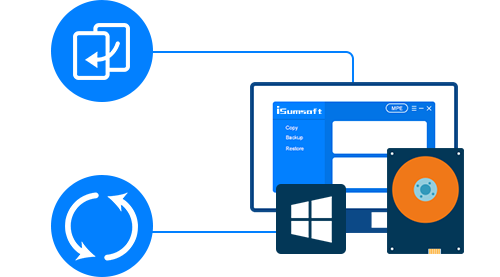
- With iSumsoft Cloner, you can easily back up the Windows OS or any data partition as an archive file, and restore the backup to the required disk whenever needed. This protects you from data loss in the event of system failure, Windows upgrade, hard drive replacement or other unexpected situations.
Clone one hard drive to another
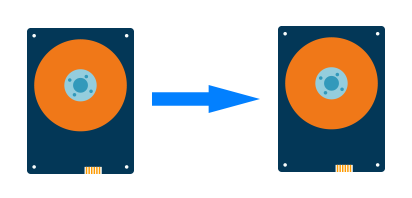
- iSumsoft Cloner allows you to clone one hard drive to another, for example, clone HDD to SSD. Every bit of information on the source drive will be copied perfectly to the target drive, including the Windows system, all partitions, drivers, apps, patches, and more.
Technical Specifications
Supported Hard Drives
- External Drives, Internal Drives
- M.2、NVME、SATA、IDE, etc.
- HDDs, SSDs, SSHDs, etc.
Supported Windows OS
- Windows 11/10/8.1/8/7/Vista (32-bit or 64-bit)
File Systems & Partitions Supported
- NTFS、FAT16/32、exFAT
- MBR、GPT
Hardware Requirements
- CPU: 1 GHz or above
- RAM: 1 GB at least
- Hard Disk Space: 25.1 MB Minimum
Frequently Asked Questions
Q1: Can I migrate Windows 10/11 from HDD to SSD or vice versa?
A: Yes, iSumsoft Cloner is a versatile cloning tool that allows you to migrate a system from HDD to SSD, SSD to HDD, or between disks of the same type.Q2: Can I clone my hard drive to a new hard drive?
A: Yes, you can clone your hard drive to a new drive. With iSumsoft Cloner, you can copy your system drive, or other internal drives to a new hard drive, SSD or HHD.Q3: Can I migrate Windows 11/10 without reinstallation?
Yes, this task can be achieved by using iSumsoft Cloner, which enables you to migrate your system to a new drive or computer without reinstalling and ensures no data loss.Q4: How to transfer data from SSD to a new SSD without losing data?
A: iSumsoft Cloner provides you with two solutions, Backup and Disk Clone, to transfer your data from one SSD to a new one.Q5: If cloning Windows OS to another PC, do I need to activate the OS again?
A: No, you don't have to. The cloned Windows system can directly, perfectly run on the target computer without reinstalling or activation.Easy to Use
All you need are several clicks without any computer techniques required.
100% Effective
100% success rate in cloning, backing up, and restoring system/partitions.
100% Safe
100% safe for both your drive and computer, with no data loss or virus.
Best Compatibility
Support NTFS, FAT32, and exFAT formatted drive.
How it works
Step 1: Choose the clone mode you want.
Step 2: Select the source drive and destination drive.
Step 3: Click on Start to start cloning. Watch Video






Listen to the user's statement
Mate, thanks very much for this software. It worked perfectly, cloned my Windows 10 operating system to SSD from mechanical hard disk. Booted straight up and everything works spot on. Thanks again!
You are a life saver to be honest. I can't thank you enough. This fantastic software let me upgrade my laptop hard drive to SSD without reinstalling Windows.