What if Cannot Turn off Cellular Data for Specific App

If you worried about cellular data overages, you can turn off cellular data usage for specific app to prevent apps from using cellular data on iPhone/iPad. If you get stuck on cannot stop specific app from using data problem. This article will show you how to fix it.
Fix Cannot Turn off Cellular Data for Specific App Problem
With these solutions, you can easily turn cellular data off for specific app.
1. Make Cellular Data Usage is Allow Change under Restrictions
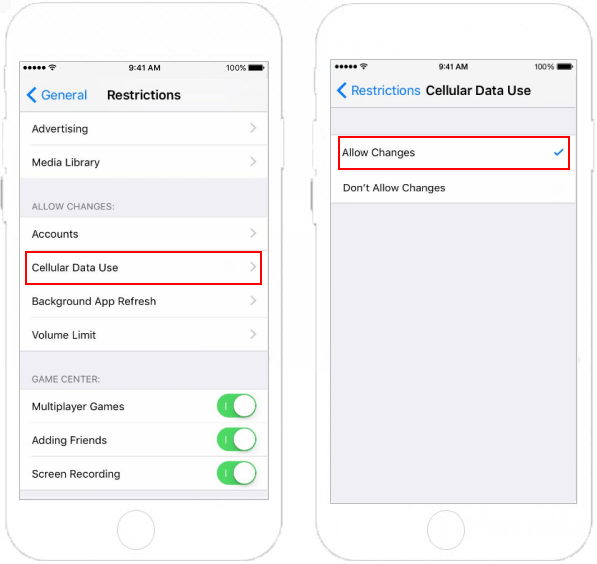
If you have enabled Restrictions on your device, make sure Cellular Data Usage is allowed to change, follow steps below, you can verify this Settings.
Step 1: Go to Settings > General > Restriction.
Step 2: Enter Restriction Passcode. Then scroll down to Cellular Data Use.
Step 3: Make sure it's able to change cellular data usage.
2. Be sure that you have enabled Cellular Data for iPhone
If you cannot turn on Cellular Data, you will cannot turn cellular data off or on for any apps.
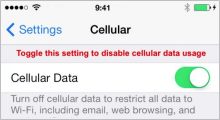
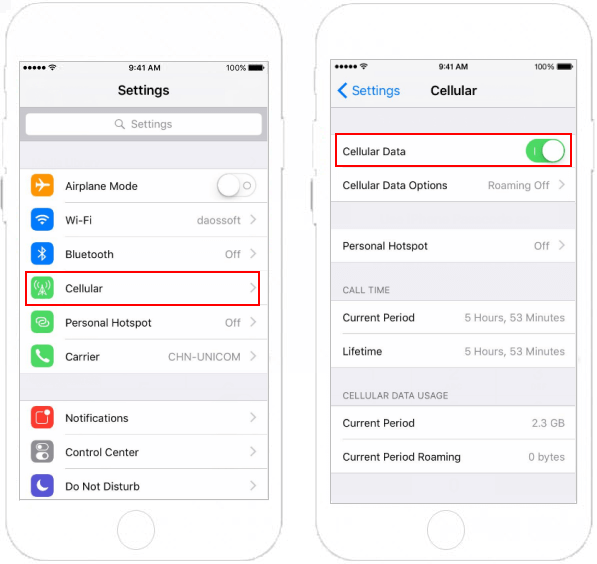
Step 1: Go to Settings > Cellular. Make sure Cellular Data is on.
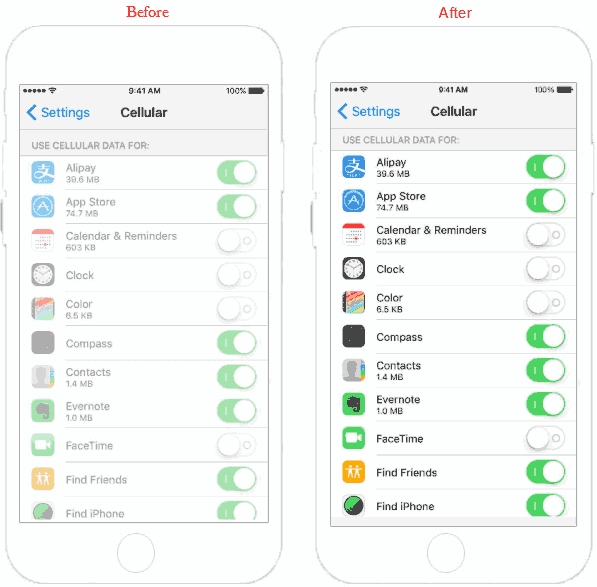
Step 2: Then scroll down to Use Cellular Data for section. You should turn it off for the apps you want.
Related Articles
-
![Restrict Cellular Data Usage]() How to Restrict
Cellular Data Usage on iPhone/iPad
How to Restrict
Cellular Data Usage on iPhone/iPad
-
![iPhone Restrictions mode]() How to
Enable/Diable Restriction in iPhone/iPad
How to
Enable/Diable Restriction in iPhone/iPad
-
![turn off Find My iPhone without password]() 3
Ways to Turn Off Find My iPhone without iCloud Password
3
Ways to Turn Off Find My iPhone without iCloud Password
-
![Wi-Fi Cellular Network Connection Problem]() Solve
iPhone/iPad Wi-Fi or Cellular Network Connection Problem
Solve
iPhone/iPad Wi-Fi or Cellular Network Connection Problem
-
![Set up personal hotspot]() How to Set up and Use
Personal Hotspot in iPhone/iPad
How to Set up and Use
Personal Hotspot in iPhone/iPad
![Turn off iPhone backup encryption]() 2 Ways to
Turn off iPhone Backup Encryption without Password
2 Ways to
Turn off iPhone Backup Encryption without Password