Powerful Word Password Recovery Tool
Word Password Refixer is a powerful Word password recovery tool that can quickly recover forgotten or lost Microsoft Word document password without any data loss.
- Support Microsoft Word for Mac/Microsoft 365/2024/2021/2019/2016/2013/2010/2007/2003/XP/2000/97 document.
- Effectively recover password regardless of the password length and complexity.
- Recover Word document password in Read Only mode without any data loss.
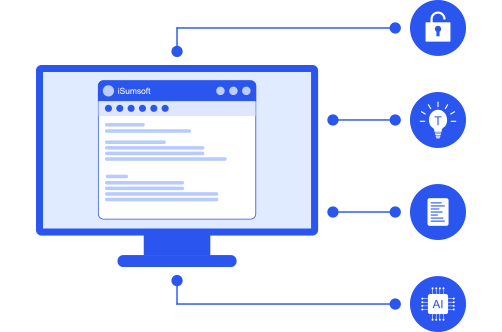
4 password recovery types
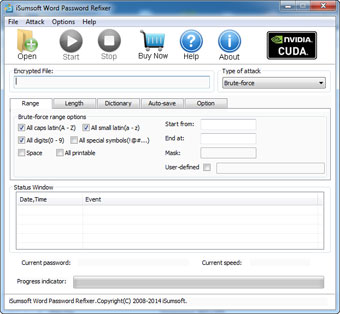
- Word Password Refixer is designed with four powerful password recovery types, Normal, Mask, Dictionary and Smart. Choose one right recovery type based on your own case so that Word Password Refixer can help find your lost Word document password in the shortest time.
Further accelerate password recovery
- Word Password Refixer is developed based on multi-core technology. Multi-core CPUs and NVIDIA-GPU will further accelerate the password recovery speed. Guarantee to find out your Word document password at top speed regardless of the password length and complexity.

Technical Specifications
Supported File Formats
- .doc, .docx
Windows OS
- Windows 11/10/8.1/8/7/2000
- Windows Vista/XP
- Windows Server 2025/2022/2019/2016/2012/2008/2003
Supported MS Word Versions
- MS Word for Mac/Microsoft 365/2024/2021/2019/2016/2013/2010/2007/2003/XP/2000/97
Hardware Requirements
- CPU: 1 GHz or above
- RAM: Upwards of 1 GB
- Hard Disk Space: 6.2 MB Minimum
Frequently Asked Questions
Q1: Can I use it to remove Word password to open?
A: iSumsoft Word Password Refixer features password recovery. If you would like to remove the password, you can recover your password before removing it.Q2: What are these four types of attack?
A:Brute-Force Attack: This attack will try all possible password combinations to recover lost Word password.
Mask Attack: It will try the password combinations with the character combinations and length range of the password you specify to recover Word password.
Dictionary Attack: Recover lost Word password by trying the password combinations in the built-in dictionary. You can also create your own dictionary using various languages.
Smart Attack: It will try all possible characters combinations include all printable characters to recover Word password automatically and smartly.
Q3: What type of attack I should choose to speed up the recovery rate?
A:Brute-Force Attack: Best if you know nothing about the lost/forgotten password.
Mask Attack: Better if you can remember your password partially. It will reduce password recovery time.
Dictionary Attack: Best if you use regular words or phrases for password or you have your own password dictionary. This may be the fastest type.
Smart Attack: If the three types of attack above didn't work, you can try this one.
You can click here to read more about the type of attack and the tutorial of this tool.
Q4: What is the difference between the trial version and full version?
A: The full version can recover passwords of any length and complexity, and we guarantee thorough technical support for users of the full version. The trial version only can recover Word passwords that consist of no more than three characters.Easy to Use
Just follow the on-screen instruction. All you need are several clicks without any computer techniques required.
100% Recovery Rate
More advanced algorithm ensures 100% password recovery rate.
100% Secure
Word Password Refixer is 100% secure; recovers password safely without causing any data loss.
Program Priority
Word Password Refixer works faster on computer with more CPU power.
Just 4 steps to recover Word document Open password
Step 1: Launch Word Password Refixer after you install it on the computer.
Step 2: Add the password-protected Word document into this software.
Step 3: Choose one right attack type.
Step 4: Click Start to start discovering Word document open password.
Watch Video





Listen to the user's statement
It helps too much for me! I am really thankful to you for designing such a useful app as well as your support. I finally retrieved my forgotten Word 2010 document password. Thanks!
Thanks for this software. I found my password and it let me open my locked word document. Much appreciate!