How to Enable On/Off Button Labels in iPhone/iPad

On/off button labels are an Accessibility feature that adds a more visible 1 and 0 digit to the standard white/green toggles modes on iPhone and iPad switches. This tutorial will show you how to enable On/Off labels for better visual accessibility on iPhone/iPad.
Enable On/Off Labels on Settings App
You can easily add On/Off label to switch on Settings app.
Step 1: Go to Settings > General > Accessibility.
Step 2: Find and tap the switch next to On/Off Labels to turn it on.
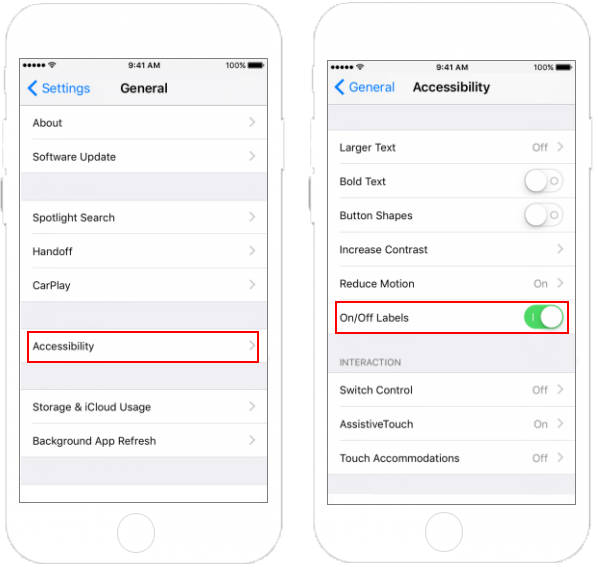
After enabling this feature, it is easier to see whether the Settings is On or Off.