Bypass: This Device Was Reset To Continue Sign in with a Google Account

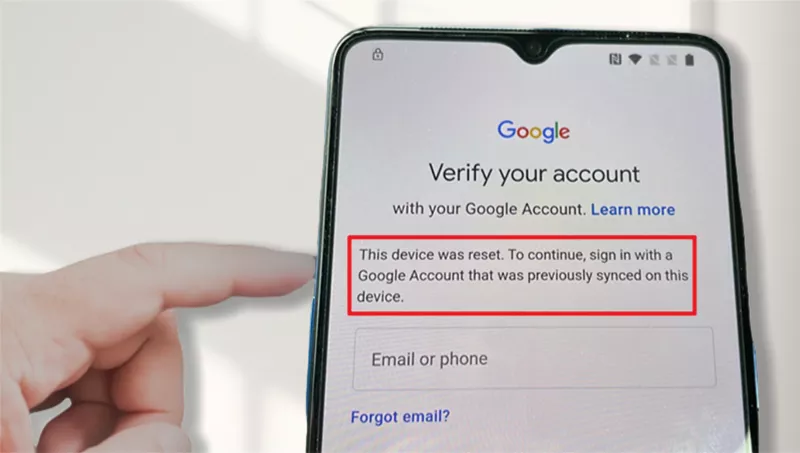
You picked up your phone, only to see the message: "This device was reset. To continue, sign in with a Google account that was previously synced on this device"? But you don't know the login details? This is a moment of confusion and frustration that many Android users have experienced. But fear not! Understanding why this happens and how to fix it can save you from the headache of being locked out of your own phone.
- What's the meaning of "This device was reset to continue sign in with a Google account"
- Bypass "This device was reset to continue sign in" with iSumsoft Android Password Refixer
- Method 1: Bypass with iSumsoft Android Password Refixer
- Method 2: Bypass with OEM Unlocking
What's the meaning of this message?
"This device was reset to continue sign in with a Google account that was previously synced" means your phone has been reset to its factory settings. To regain access, you must sign in to the Google account that was synced with your device prior to the reset.
In theory, a factory reset erases all data and settings on the phone, including logged-in accounts. So why is your phone still asking for a previously synced Google account after a factory reset? This is because of the Factory Reset Protection (FRP) feature integrated into Android, which Google designed to deter unauthorized access to the device after a factory reset.
If your Android phone has a screen lock and is logged into a Google account, FRP is enabled by default. FRP links your device to your Google account and requires you to verify your identity by signing in with the same account after a factory reset. This way, even if someone steals your phone and tries to reset it to use it as their own, they won't be able to proceed without knowing your Google account credentials.
FRP plays a crucial role in securing your Android phone if it's lost or stolen. However, it can become a hassle if you lost access to your own Google account or got a used phone with someone else's Google account still linked to it. So that's why you've come to this page. Next, we will show you how to bypass "This device was reset to continue sign in with a Google account" and regain access to your device.
Bypass "This device was reset to continue sign in with a Google account that was previously synced on this device"
If you encounter this problem and are the rightful owner but forgot your Google account details, you can recover them through Google's account recovery process. This typically involves providing information linked to your account, such as recovery email or phone number, to verify your identity and regain access.
If you purchased a used phone and it requires the previous owner's Google account details, reaching out to them for assistance is advisable. They can either provide the necessary information or properly remove their account from the device to facilitate your setup.
If you are unable to recover the account details or contact the previous owner, bypassing the previously synced Google account is a last resort. Here is how to accomplish this.
Method 1: Bypass with iSumsoft Android Password Refixer
iSumsoft Android Password Refixer is a specialized Android unlocking tool to unlock Android screen and FRP lock. It gets the previously synced Google account removed completely from your phone and lets you skip the setup initial setup process and go straight to your device. You need to download and install the tool on your computer and follow the steps below.
Step 1: Launch iSumsoft Android Password Refixer on your computer and choose the Unlock Google Lock(FRP) option.
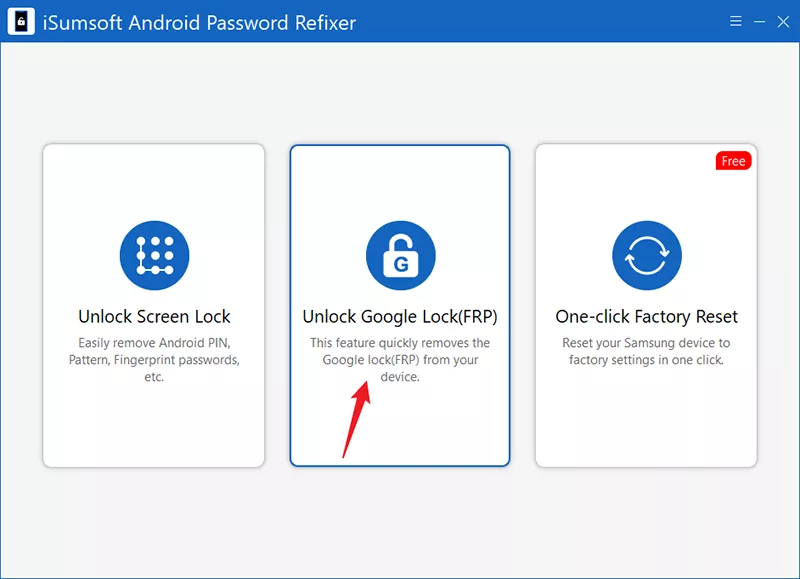
Step 2: The tool is compatible with Samsung, Vivo, and Xiaomi phones. Bypassing the Google FRP lock differs depending on the brand of your phone. Please select your phone's brand to continue.
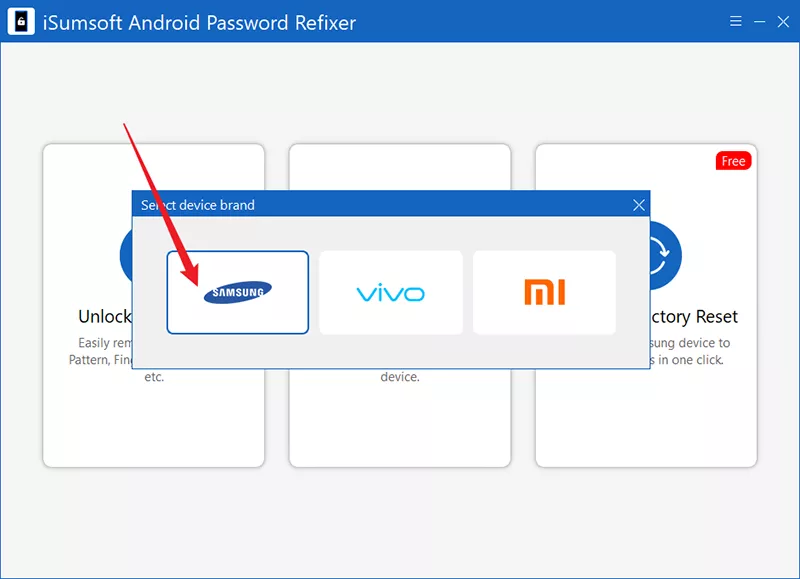
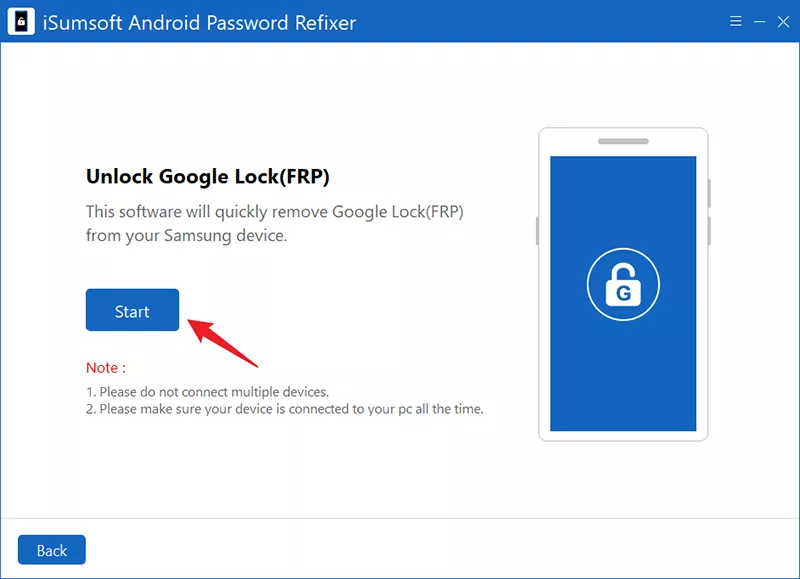
Step 3: Make sure your phone is connected to your computer via USB cable and click Start. The software will automatically detect your phone and establish a connection with it.
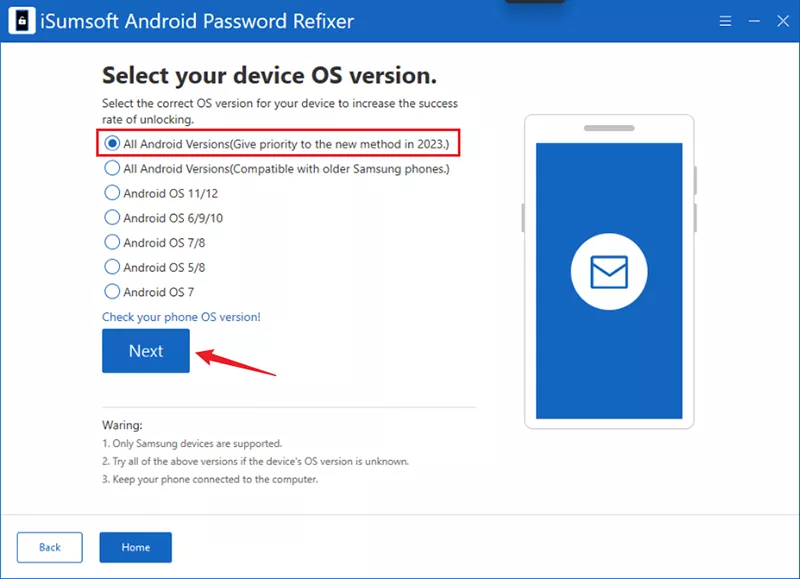
Step 4: Select the appropriate unlocking method according to your Android version. For newer Android versions, select the first option "All Android versions". Then, click Next to proceed.
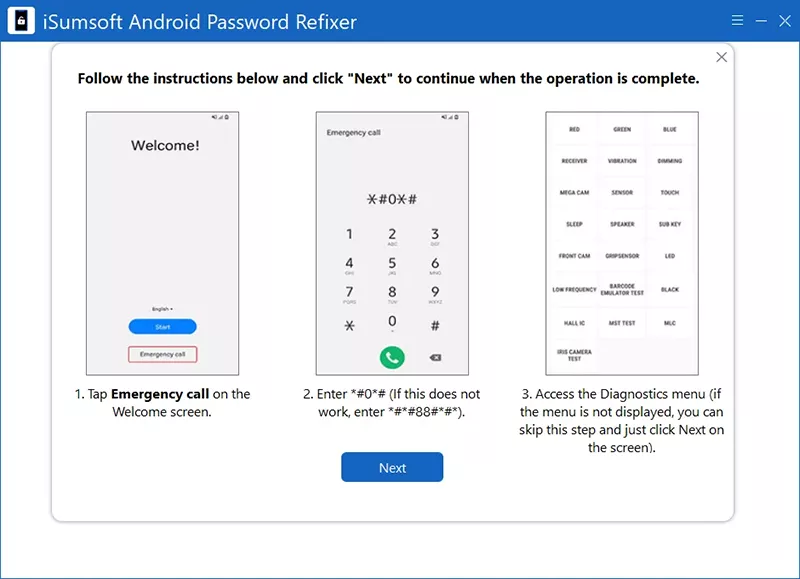
Step 5: Follow the instructions given on the software screen to open the diagnostics menu on your phone. To do this, first return to the Welcome screen on your phone and tap on the Emergency Call button. Then type *#0*# or *#*#88#*#* on the keyboard and tap on the Dial button. Once done, click Next on the software.
Step 6: The software will send a USB debugging notification to your phone. Watch for the notification on your phone's screen.
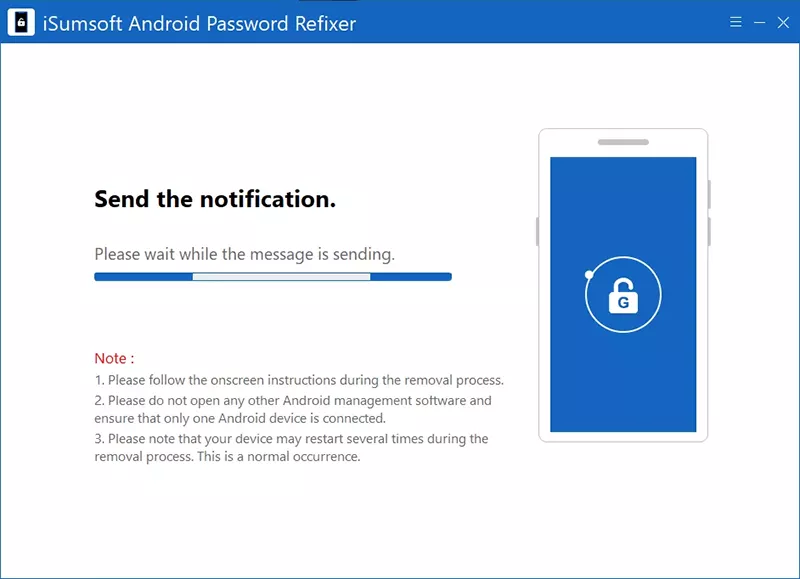
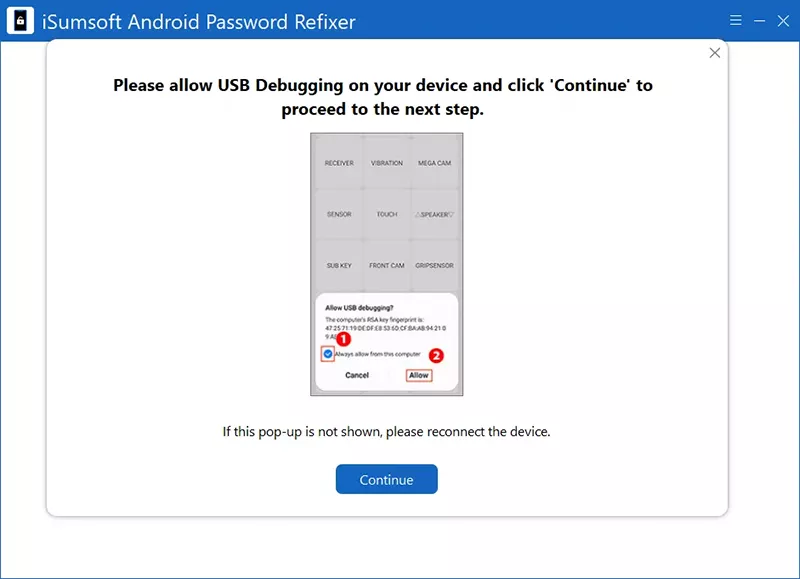
Step 7: Once your phone receives the notification, select the Allow option to allow USB debugging. Then, click Continue on the software and it will start removing the FRP lock from your phone.
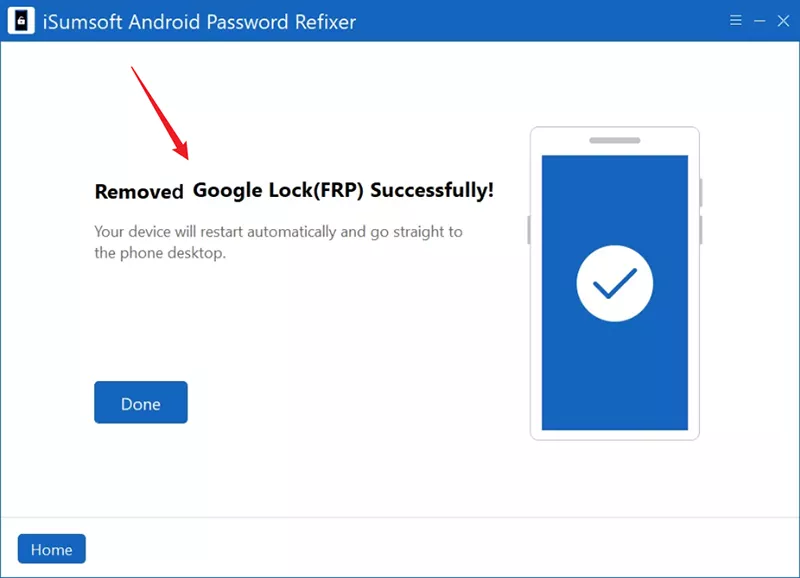
Step 8: After a few minutes when you get the message "Removed Google Lock (FRP) successfully", you are done. Your phone will automatically reboot and then go straight to the home screen and you can use it normally without any problems.
Method 2: Bypass with OEM Unlocking
Another way to bypass the "This device was reset to continue sign in with a Google account" screen is to use the OEM unlocking feature in Android.
Step 1: Tap in the input box below the "This device was reset to continue sign in with a Google account" message to let the keyboard come up.
Step 2: Long-press the @ sign on the keyboard to bring up the Settings menu.
Step 3: Select the Google Keyboard Settings option from the menu.
Step 4: Tap on the three dots in the upper right corner and select Help & Feedback.
Step 5: Select Use Google Keyboard from the help menu.
Step 6: On the Use Google Keyword page, long-press any text to select it, and then tap the web search icon in the upper-right corner.
Step 7: Tap the Settings icon below the search box.
Step 8: In the Settings menu, scroll down and select About Phone.
Step 9: Locate the Build Number in the menu and tap on it seven times in a row to enable Developer Options.
Step 10: On the Developer Options page, enable OEM unlocking.
Step 11: Restart your phone and set it up again. This time, you can finish the setup by logging in to any Google account rather than being prompted to sign in with a Google account that was previously synced on this device.
Conclusion:
Your Android phone displays the "This device was reset to continue sign in with a Google account that was previously synced" message because of the FRP lock. Without the correct login credentials, you have to bypass this message to regain access to the phone. iSumsoft Android Password Refixer is currently the most effective solution available, allowing you to easily bypass the FRP lock and previously synced Google account.
Related Articles
![7 Best Samsung FRP Bypass Tools - Free Download 2024]() 7
Best Samsung FRP Bypass Tools - Free Download 2024
7
Best Samsung FRP Bypass Tools - Free Download 2024
![Bypass Vivo FRP with or without Computer[All Vivos & Android]]() Bypass Vivo FRP with or without
Computer[All
Vivos & Android]
Bypass Vivo FRP with or without
Computer[All
Vivos & Android]-
![remove Google account from Samsung without password]() 3 Ways to Remove
Google Account
from Samsung Phone without password
3 Ways to Remove
Google Account
from Samsung Phone without password
-
![factory reset Samsung phone that's locked]() 3 Ways to Factory Reset a Samsung
Phone That's
Locked
3 Ways to Factory Reset a Samsung
Phone That's
Locked
-
![unlock Android password without factory reset]() How to Unlock Android
Phone Password
without Factory Reset
How to Unlock Android
Phone Password
without Factory Reset
-
![reset Android password if forgotten]() 4 Ways to Reset Android Lock Screen
Password If
Forgotten
4 Ways to Reset Android Lock Screen
Password If
Forgotten
![Bypass Vivo FRP with or without Computer[All Vivos & Android]](../images/android/vivo-frp-bypass-all-vivo-android/vivo-frp-bypass-all-vivo-android-s.webp)