6 Ways to Access Programs and Features in Windows 10

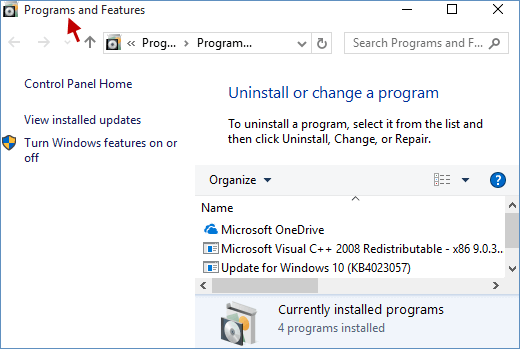
The Programs and Features section in Windows 10 is a centralized hub that lists all installed programs and applications on your PC. Users frequently access this section to repair, modify, or uninstall software. Here are six methods to open Programs and Features in Windows 10 for your convenience.
- Method 1: Open Programs and Features via the Windows Icon Context Menu
- Method 2: Search for Programs and Features
- Method 3: Access Programs and Features through the Run Dialog Box
- Method 4: Open Programs and Features using Command Prompt
- Method 5: Launch Programs and Features via Windows PowerShell
- Method 6: Open Programs and Features from Control Panel
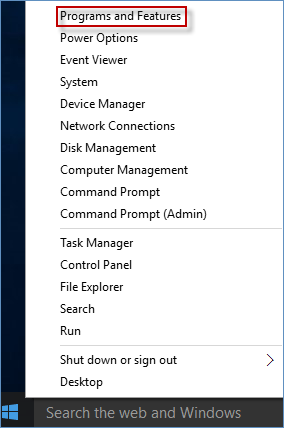
Method 1: Open Programs and Features via the Windows Icon Context Menu
Press the Win+X keys simultaneously or right-click the Windows icon to display the context menu, which includes Programs and Features. Click on Programs and Features to open it.
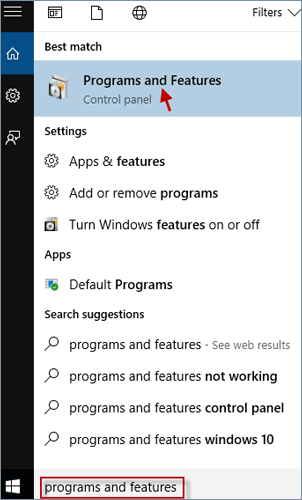
Method 2: Search for Programs and Features
Type programs and features in the Search field and select Programs and Features from the Best match results.
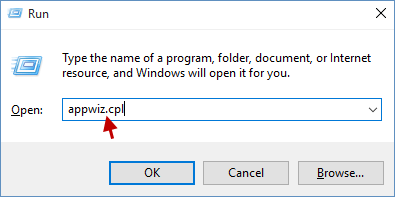
Method 3: Access Programs and Features through the Run Dialog Box
Open the Run dialog box using the Win+R keys, type appwiz.cpl, and click OK.
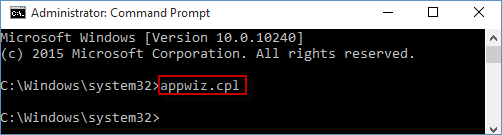
Method 4: Open Programs and Features using Command Prompt
Step 1: Open Command Prompt as administrator.
Step 2: In the Command Prompt window, type appwiz.cpl and press Enter.
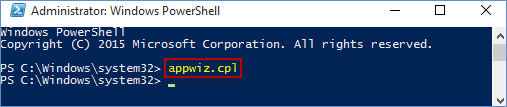
Method 5: Launch Programs and Features via Windows PowerShell
Step 1: Run PowerShell as administrator.
Step 2: Type appwiz.cpl and press Enter to open Programs and Features.
Method 6: Open Programs and Features from Control Panel
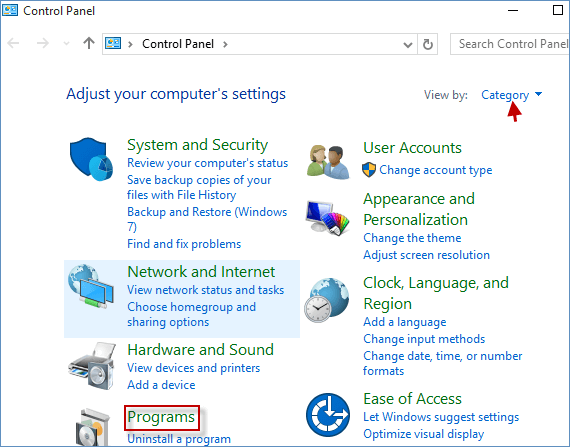
Step 1: Open Control Panel.
Step 2: If your View by is set to Category, click the Programs link.
Step 3: Then, click the Programs and Features link.
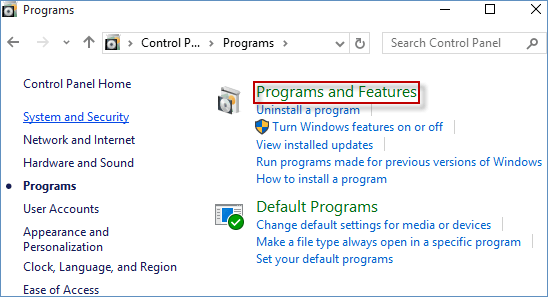
Note: If your View by is set to Large icons or Small icons, directly click the Programs and Features link.
For frequent access to specific files or folders within Programs and Features, consider creating a desktop shortcut to streamline your workflow. Learn how to create a shortcut for Programs and Features on your desktop.