
How to Open File Explorer Option in Windows 10

The File Explorer Option is convenient for users to change setting for opening items, file, and folder views, and search. In this post, you'll get 3 methods on how to open File Explorer Option in Windows 10.
- Method 1: using Cortana's search box
- Method 2: from the File Explorer
- Method 3: via entering This PC
Method 1: Open File Explorer Option using Cortana's search
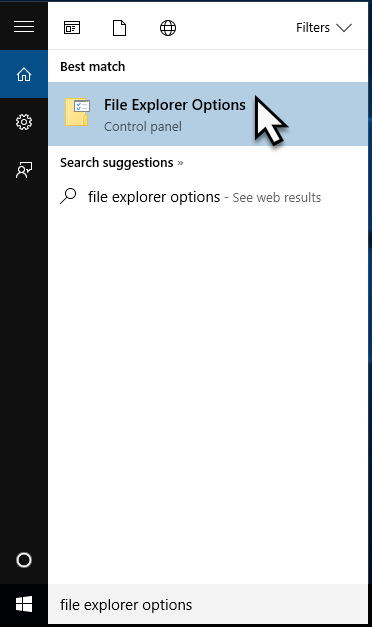
Windows 10 users can simply use the Cortana's search box from the taskbar. Type File Explorer Options, after the search results are loaded, press Enter or tap the File Explorer Options result. Thus, you can easily open File Explorer Option in Windows 10.
Method 2: Open File Explorer Option from File Explorer
In this part, you should open the File Explorer at first. You can read this article about 8 Ways to Open File Explorer in Windows 10. Then click View, then tap on the Options on the left of the tab.

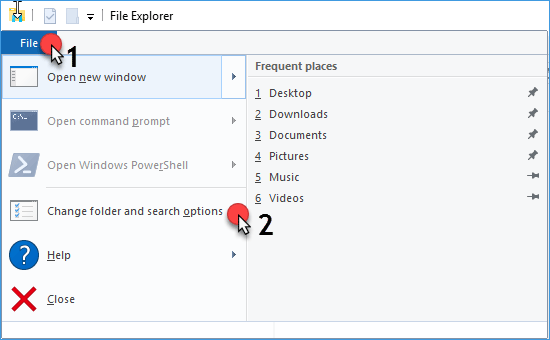
Or you can tap File, then choose the Change folder and search options to open the File Explorer Option in Windows 10.
Method 3: Open File Explorer Option by entering This PC
The last method is similar to the second method. Here you can open This PC, then tap View and click Option.

That's it.


