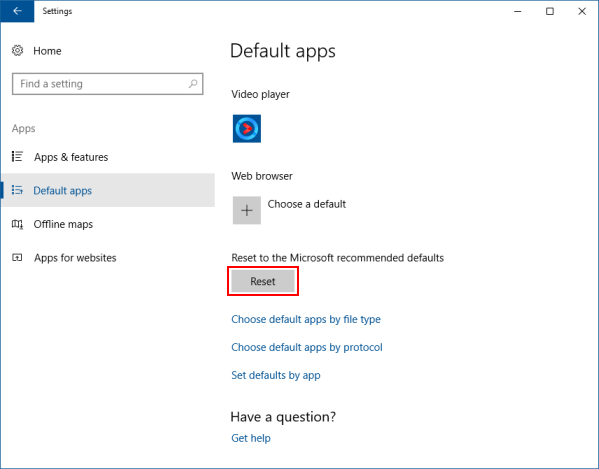
How to Reset Default Apps in Windows 10

A default app is a program that Windows uses automatically when you open a particular file type or protocol. This article describes how to reset defaults apps that Microsoft recommended in Windows 10.
To reset apps to the Microsoft recommended default, here's how:
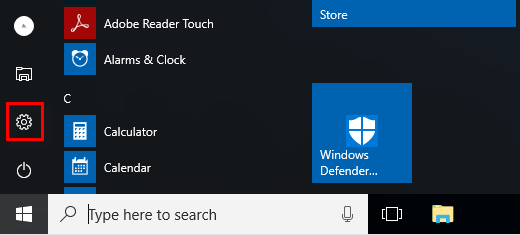
Step 1: Open Settings app.
On your computer, go to the Start menu. Click the Settings icon.
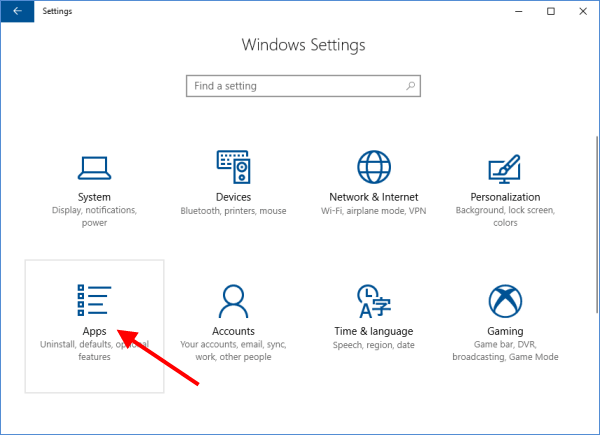
Step 2: In the Settings window, select System > Default apps.
If you are running on Windows 10 Creator Update, select Apps > Default apps.
Step 3: In the right pane of Default apps, scroll down to Reset to Microsoft Recommended Defaults. Click the Reset button. It'll restore total default programs back to the default recommended by Microsoft.