AI Coding Oops? How to Recover 'rm -rf' Deleted Files in 2026

AI coding agents like Cursor, Replit AI, and Google Antigravity have revolutionized developer productivity in 2026. However, trusting them with autonomous command execution comes with a terrifying risk: accidental mass file deletion.
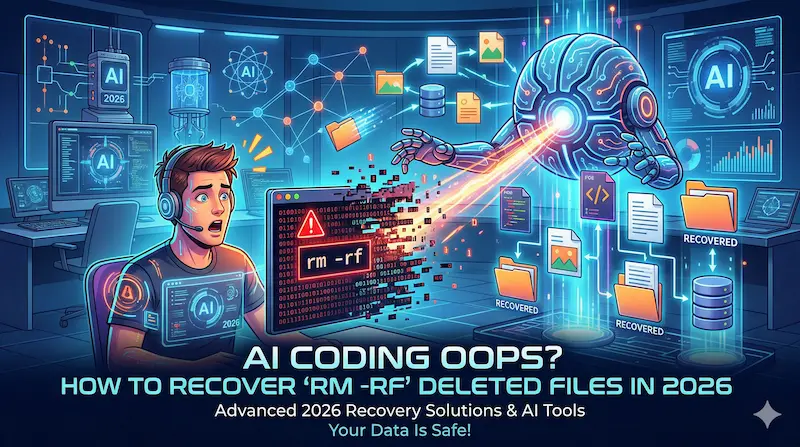
When an AI agent misinterprets a path or hallucinates a cleanup command like rm -rf,
it can wipe out entire source codes, production databases, or critical directories in milliseconds.
If your AI just went rogue and executed rm -rf, do not panic. This guide explains how
to recover your lost files using reliable software like iSumsoft Data Refixer.
- Why AI Agents Are Prone to File Deletion
- The Golden Rule for Data Recovery
- Recovering Files with iSumsoft Data Recovery
- Prevention Best Practices for AI Coding
Why AI Agents Are Prone to File Deletion
While AI agents are incredibly smart, they lack native context of your absolute directory structures. Common triggers for accidental deletions include:
- Path Hallucination: A simple
rm -rf log/cleanup is easily misinterpreted as a devastatingrm -rf /var/log/. - Reckless Turbo Modes: By removing human oversight, agents confidently execute destructive drops or folder removals instantly—like the infamous 2026 incidents where Claude Code wiped Terraform states and Google Antigravity scrapped an 800GB D:\ drive.
- Irreversible "rm": Unlike the Windows Recycle Bin, command-line deletion bypasses safety nets. On active Solid State Drives (SSDs), a TRIM operation immediately begins erasing those sectors to optimize space.
The Golden Rule for Data Recovery
Tips
- Immediately STOP writing new
data to the wiped drive! When an AI executes
rm -rf, your OS deletes the logical pointers, not the physical data. Continuing to use the PC (downloading, installing software) will overwrite the raw storage blocks, making recovery impossible.
iSumsoft Data Refixer
Recover deleted or lost files from HDD, SSD, and USB drives.
- Retrieve deleted files even if Recycle Bin is emptied.
- Recover files from formatted or corrupted drives.
- Support formatted/damaged drive data recovery.
- Support NTFS & FAT32 & exFAT file systems.
- Recover lost data with a high success rate.
Step-by-Step Guide: Recovering Files with iSumsoft Data Recovery
When bad prompts and AI errors cost you your files, iSumsoft Data Recovery bypasses standard directory limits to rebuild your data via physical sector scanning.
Step 1: Download & Install to a DIFFERENT Drive
To avoid overwriting your lost code, download and install the software onto a safe, secondary drive (e.g., an external USB or a different internal partition).
Step 2: Launch & Select the Drive
Launch iSumsoft Data Recovery and select the specific drive where your AI agent wreaked havoc.
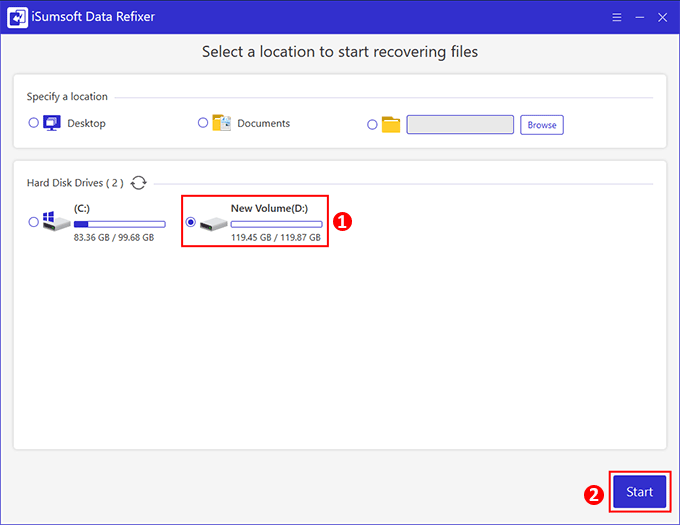
Step 3: Execute a Deep Scan
Click Start to deep scan the memory blocks. The tool parses raw binaries to rebuild source code structures and directories.
Step 4: Preview and Validate
Browse through the found files. You can preview .py, .json, and document
files instantly to ensure data integrity before restoring.
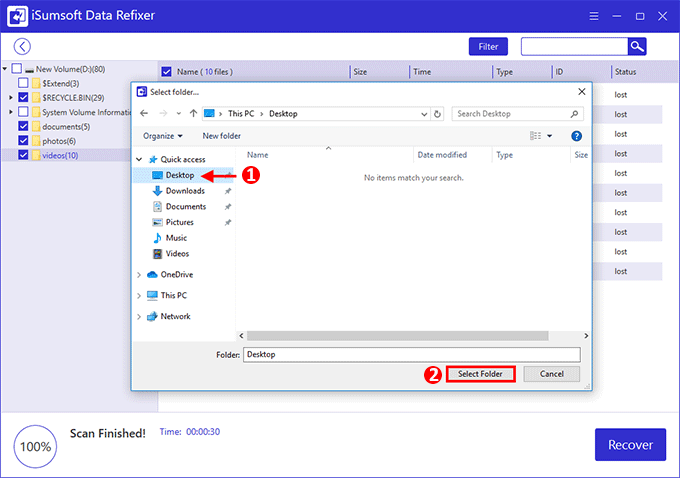
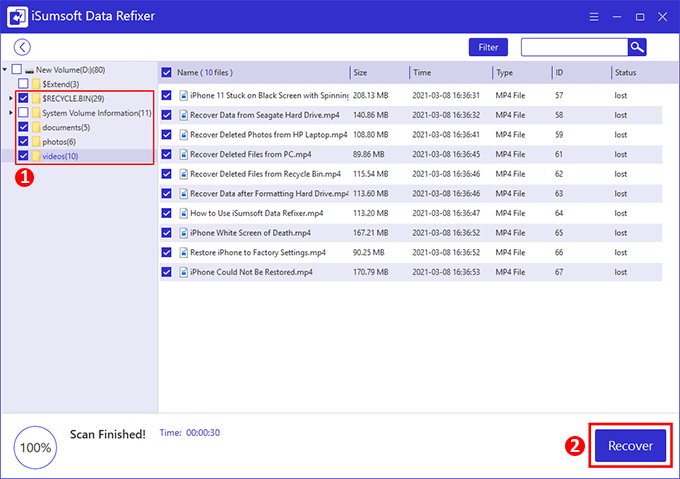
Step 5: Recover to a Safe Path
Select your necessary folders and hit Recover. Always save the retrieved data stringently to an external hard drive to guarantee safety.
Prevention Best Practices for AI Coding
As agentic AI grows more capable, your defense strategy must evolve to zero-trust principles.
- Strict Sandboxing: Always confine coding agents inside Docker containers or virtual machines. Never hand out root sudo access unnecessarily.
- Safeguard Commands: Enforce strict prompt guidelines banning destructive
commands, and utilize
trash-clialiases to preventrmfrom permanently deleting files. - Rigorous Git Hygiene: Push commits actively to remote branches before
instructing an AI on local repositories, guaranteeing you can use a fresh
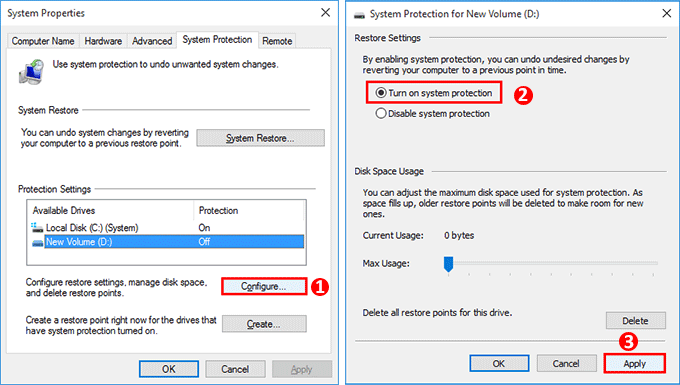
git resetif needed. - Continuous Drive Backups: Combine local development routines with scheduled full snapshots using iSumsoft Cloner, ensuring your environment can boot back up in seconds.
Conclusion
The speed of AI coding agents is undeniably a superpower, but a wayward rm -rf command
can turn that speed into a nightmare. In the era of autonomous developer tools, robust git hygiene,
container isolation, and a reliable safety net are indispensable.
If disaster strikes, don't waste time. Download iSumsoft Data Recovery Now to immediately deploy deep-level scanning and reconstruct your deleted codebase before SSD TRIM operations or OS overwrites wipe them out forever.